

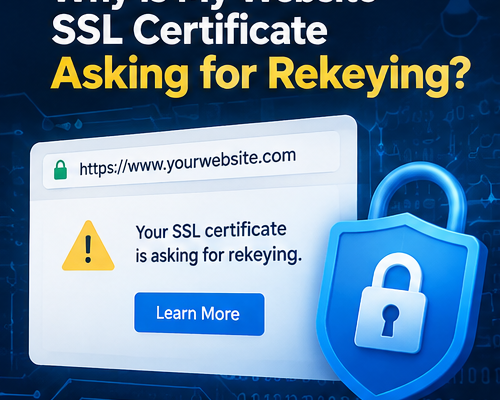
Why Is My Website SSL Certificate Asking for Rekeying?
FAQs
- Where do images for websites, blog posts, and videos come from?
- How Can Small Businesses Use AI to Improve Productivity?
- What Is the Difference Between Website Hosting and Website Maintenance?
- How Do I Migrate GoDaddy Email to Microsoft 365?
- How Much Does a Small Business Website Cost in Houston?
- Why Does My WordPress Website Need Regular Maintenance?
- Why Is My Website SSL Certificate Asking for Rekeying?
- Microsoft 365 Email Password & Authenticator App Guide
- How to Verify Your Domain
- What Is Digital Marketing, and Why Is It Important?
- Modern Website Design Trends for Business Websites
- Why Businesses Still Need a Trusted Technology Partner in the AI Era?
- 3 ChatGPT Writing Tips for Work
- What is an AI Human Video?
- Hard Drive vs SSD: Speed, Cost & Which One Is Right for You?
- In Microsoft 365 (formerly Office 365), how can the issue be checked if a recipient claims they didn’t receive an email but the sender didn’t receive an error message?
- Add My Microsoft 365 Email to Apple Mail on Mac
- cPanel POP or IMAP Email Setup Using Outlook
- Sales Tax Exemption: How do I get exempt from state sales tax?
- Microsoft Outlook: How can I save a copy of emails in the mail server?
Why Is My Website SSL Certificate Asking for Rekeying?
Suggested URL: https://www.gracecomputer.net/ssl-certificate-rekeying-explained/
SEO meta description: Understand what SSL certificate rekeying means, why providers request it, and how to replace a certificate safely without unnecessary website downtime.
What does “rekey” mean?
An SSL/TLS certificate helps browsers establish encrypted connections to a website. Rekeying generally means creating a new private key and certificate signing request (CSR), then obtaining a replacement certificate tied to that new key. Some providers use “rekey” more loosely for certificate reissuance, so the exact workflow varies.
Why would a provider ask for it?
A provider may request replacement because of a private-key concern, certificate reissuance, a change in certificate authority or issuing chain, or a provider-specific transition. The notice should explain whether action is mandatory and identify the deadline. Do not assume every certificate requires rekeying.
What happens if I do nothing?
If the current certificate expires, is revoked, or otherwise becomes untrusted, visitors may see browser security warnings and some connections may fail. Whether an announced provider transition causes interruption depends on the specific certificate and notice.
How to handle a rekey safely
First verify that the notice came from your actual certificate provider by signing in directly to its portal rather than relying on email links. Identify the affected domain, certificate, hosting platform, and stated deadline. Create a backup or recovery plan. Follow the provider’s supported rekey/reissue steps, install the replacement if automatic installation is unavailable, and test HTTPS afterward.
What about GoDaddy and cPanel?
For certain GoDaddy or reseller-managed SSL products on supported cPanel hosting, the provider may automate parts of certificate reissuance and installation. Other setups require a new CSR, manual installation, or chain updates. Always verify the installed certificate in a browser or certificate checker; clicking “Rekey” alone does not prove the live website has switched.
Who pays for the work?
Certificate replacement may be covered by a website maintenance agreement or billed as a separate technical service. Paying for email account support alone does not automatically include website SSL administration. Review your service agreement before assuming coverage.
Frequently asked questions
Q: Is rekeying the same as renewal? No. Renewal extends certificate coverage; rekeying changes the key material associated with a certificate. Some providers combine these workflows.
Q: Does rekeying change my domain name? No, normally the certificate continues to cover the same authorized domain names.
Q: Will my website go offline? Often the process can be completed without noticeable downtime, but installation mistakes can cause warnings.
Need SSL assistance?
Grace Computer can review provider notices and assist with certificate reissuance and installation on supported hosting systems. Contact us at gracecomputer.net and include the domain, hosting provider, and notice deadline.

Leave a Comment