

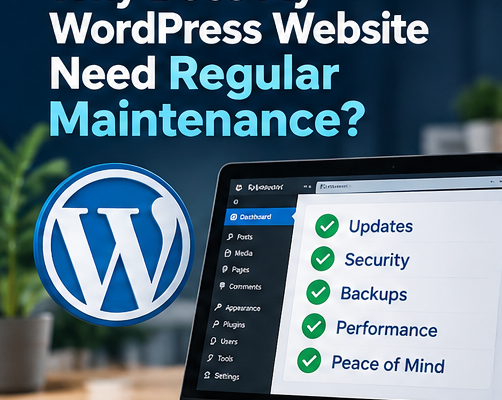
Why Does My WordPress Website Need Regular Maintenance?
FAQs
- Where do images for websites, blog posts, and videos come from?
- How Can Small Businesses Use AI to Improve Productivity?
- What Is the Difference Between Website Hosting and Website Maintenance?
- How Do I Migrate GoDaddy Email to Microsoft 365?
- How Much Does a Small Business Website Cost in Houston?
- Why Does My WordPress Website Need Regular Maintenance?
- Why Is My Website SSL Certificate Asking for Rekeying?
- Microsoft 365 Email Password & Authenticator App Guide
- How to Verify Your Domain
- What Is Digital Marketing, and Why Is It Important?
- Modern Website Design Trends for Business Websites
- Why Businesses Still Need a Trusted Technology Partner in the AI Era?
- 3 ChatGPT Writing Tips for Work
- What is an AI Human Video?
- Hard Drive vs SSD: Speed, Cost & Which One Is Right for You?
- In Microsoft 365 (formerly Office 365), how can the issue be checked if a recipient claims they didn’t receive an email but the sender didn’t receive an error message?
- Add My Microsoft 365 Email to Apple Mail on Mac
- cPanel POP or IMAP Email Setup Using Outlook
- Sales Tax Exemption: How do I get exempt from state sales tax?
- Microsoft Outlook: How can I save a copy of emails in the mail server?
Why Does My WordPress Website Need Regular Maintenance?
SEO meta description: Learn why regular WordPress maintenance matters, what it includes, and how to protect your business website from security and performance problems.
A business website needs ongoing care
Launching a WordPress website is only the beginning. WordPress core software, themes, and plugins change over time. Updates may address security vulnerabilities, fix bugs, improve compatibility, or introduce new features. Without regular attention, a site that worked well last year may become slow, unreliable, or vulnerable today.
What regular maintenance includes
A practical maintenance routine includes reviewing WordPress core, theme, and plugin updates; confirming backups are working; testing key pages and forms; checking SSL status; monitoring for malware or suspicious activity; and confirming that checkout, contact forms, and integrations still function. Before significant updates, create a restorable backup and consider testing on a staging site.
Why postponing updates can be expensive
Outdated components may expose known vulnerabilities. Plugin conflicts can also break page layouts, forms, payment flows, or integrations. A broken inquiry form can quietly cost a business leads, even if the homepage looks normal. Maintenance reduces risk but cannot eliminate every outage or security incident.
How often should a site be checked?
Frequency depends on complexity and risk. A simple informational website may use a scheduled quarterly review, supplemented by urgent security patches when necessary. An eCommerce site, membership site, or frequently updated site often needs more frequent monitoring and testing. Critical vulnerabilities should not wait for the next scheduled quarterly visit.
What is included in Grace Computer’s plan?
Grace Computer & Internet Corp. offers a $300-per-year WordPress maintenance plan covering quarterly WordPress, theme, and plugin updates, related compatibility checks, and troubleshooting update-related conflicts. Confirm the written agreement for the precise scope. Content changes, redesign, malware cleanup, hosting, and emergency recovery should not be assumed to be included.
Frequently asked questions
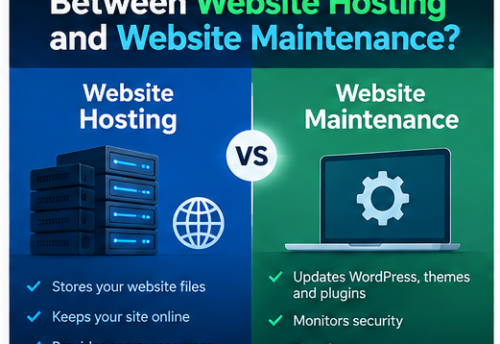
Q: Does website hosting automatically include WordPress updates? Not necessarily. Hosting provides the server environment; maintenance is a separate responsibility unless your plan explicitly includes it.
Q: Can I click “Update All” myself? You can, but backup and compatibility testing are especially important for business-critical websites.
Q: Will maintenance guarantee that my website never gets hacked? No. It is one layer of a broader security program.
Need help maintaining your website?
Grace Computer helps business owners keep WordPress websites updated and functional. Contact us through gracecomputer.net to discuss your site and the appropriate maintenance scope.
Suggested internal links: relevant service page; contact page; related educational article.

Leave a Comment